
Computing Fundamentals: Building a Strong Foundation in Technology.
Master the Basics of Computing with Easy-to-Follow Online Lessons and Resources.


In our tech-savvy world, understanding the basics of computing is essential for both work and everyday life. These fundamental concepts help you understand how computers work, how they interact with software, and how they connect through networks. Mastering these basics not only improves your tech skills but also makes your daily tasks smoother, whether you’re working on a project, managing your finances, or simply using your smartphone.
This article will guide you through the core ideas of computing, highlight their significance, and provide practical tips to help you navigate and make the most of technology in various aspects of your life.
The Importance of Understanding Computing Basics
Today, computing skills are vital for everyone, not just tech professionals. From using apps on your phone to managing online finances or coordinating work projects, knowing how technology works can make life easier and more efficient.
For instance, understanding how to use word processors and spreadsheets can streamline your work and enhance productivity. In many fields—like healthcare, education, and business—tech knowledge can simplify tasks and lead to better results.
By mastering computing basics, you can improve communication, handle data more effectively, and automate routine tasks, allowing you to work smarter and achieve more.
Key Concepts in Computing Fundamentals
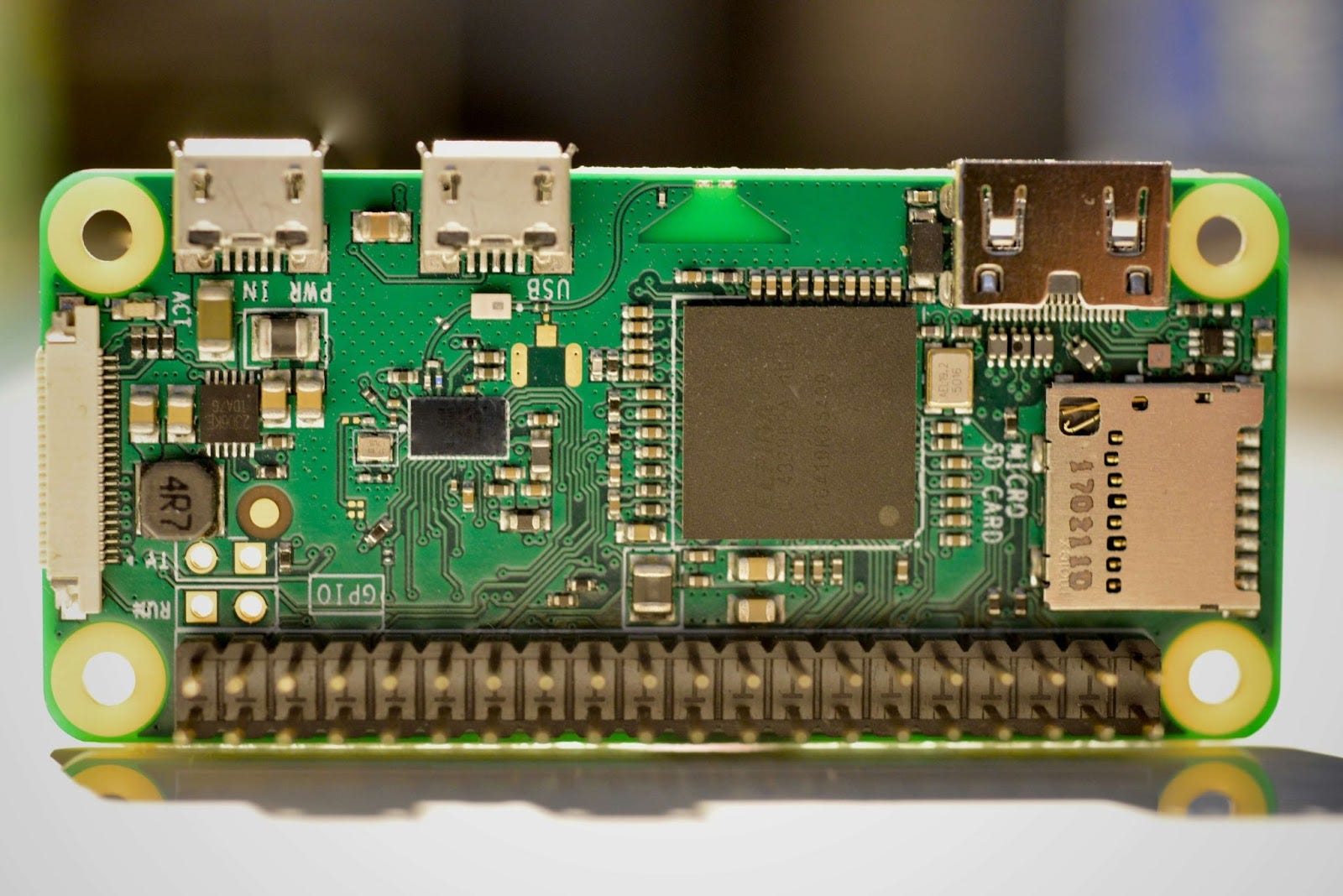
Hardware vs. Software
Think of hardware as the physical parts of your computer—like the keyboard, mouse, or screen—that you can touch. These components are what you interact with directly. Software, on the other hand, consists of the programs and applications that run on this hardware. This includes everything from operating systems to games and productivity tools.
Understanding how software and hardware work together is crucial. It helps you troubleshoot problems and optimize your technology. For example, if your computer isn’t working correctly, knowing whether the issue is hardware-related or software-related can save you time and effort.
Operating Systems
Your operating system (OS) is the software that manages all other software and hardware on your computer. It acts as a bridge between you and your computer’s hardware, handling tasks like file management and device connections. Popular operating systems include Windows, macOS, and Linux. Learning how to navigate your OS and use its features effectively can make everyday tasks easier, from managing files to setting up printers or customizing settings.
Networks and the Internet
Most of us rely on the internet for daily tasks, but understanding how it works can enhance your experience. The Internet is a global network of computers that communicate using standard protocols. Networks, whether wired or wireless, connect your devices to the internet, allowing them to share information and access online resources. Knowing the basics of how networks operate, such as how your home Wi-Fi works or how to troubleshoot connectivity issues, can improve your online experience and help you stay connected.
Data and File Management
Good data and file management is crucial. It involves organizing, storing, and securing your digital information so you can access it easily and keep it safe. Whether you’re managing personal documents, work spreadsheets, or important backups, understanding how to handle your files effectively is key. This includes knowing how to use cloud storage for easy access, organizing files efficiently, and setting up backups to protect against data loss.
Learning How Computers Process Information
Computers process information using binary code, a series of 1s and 0s. This data goes through a cycle of input, processing, and output. For example, when you type on a keyboard (input), the computer processes this data and displays the result on your screen (output). Understanding these basics helps you grasp how computers perform tasks, from simple commands to complex applications. This knowledge can make it easier to understand software development and troubleshoot issues.
Essential Skills to Master in Computing

Word Processing and Spreadsheets
Word processors like Microsoft Word or Google Docs are essential for creating and editing documents, while spreadsheets like Excel or Google Sheets help manage and analyze data. Mastering these tools is crucial for almost any job and can significantly boost your productivity.
Using the Cloud
Cloud computing allows you to store and access files online rather than on a physical hard drive. This convenience means you can access your files from anywhere and collaborate with others more effectively. Learning how to use cloud services like Google Drive or Dropbox can improve your workflow and productivity.
Security Awareness
With the rise of cyber threats, understanding basic security practices is crucial. Protecting your data with strong passwords, using two-factor authentication, and recognizing phishing scams helps keep your personal and professional information safe.
Common Challenges in Learning Computing and How to Overcome Them
Learning computing can seem daunting, especially with unfamiliar terms and concepts. To overcome these challenges, start with simple lessons and practice regularly. Use online resources that explain concepts clearly and don’t hesitate to seek help when needed. Stay curious and keep exploring to build your confidence and skills.
How to Keep Advancing After Learning the Basics
Once you’ve mastered the basics, there are endless opportunities for further learning. Explore programming languages like Python or JavaScript, or dive into fields like cybersecurity or web development. Continuous learning keeps you updated with new technologies and helps you stay ahead in your career.
Understanding computing fundamentals is essential in today’s digital world. Whether you’re using technology for work, school, or personal tasks, knowing the basics of hardware, software, networking, and data management will enhance your efficiency and productivity. Start with these core concepts, and you’ll be well-prepared to tackle more advanced technology topics in the future. Mastering these basics is your first step toward thriving in our increasingly tech-driven world.
Frequently Asked Questions (FAQs)
What are the basic computing fundamentals?
The basic computing fundamentals include understanding hardware and software, operating systems, data management, and networking.
Why is learning computing fundamentals important?
Learning computing fundamentals is essential because it helps in daily tasks, enhances career opportunities, and allows you to stay relevant in a tech-driven world.
How do computers process information?
Computers process information using binary code (1s and 0s) through input, processing, and output stages, allowing them to execute commands and run applications.
What skills should I learn after mastering computing fundamentals?
After mastering the basics, consider learning programming languages, web development, or specialized fields like artificial intelligence or cybersecurity.